Fix Torn Photos Online
Stitch Rips and Fill Holes in Seconds
Upload Your Photo
Tap to select a photo
Free trial • No sign-up • No credit card
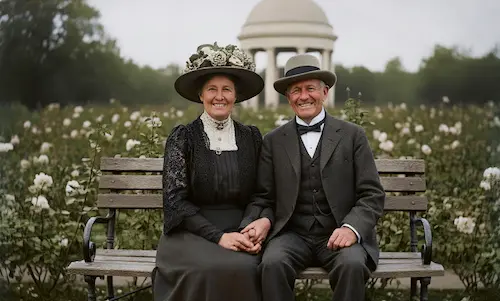
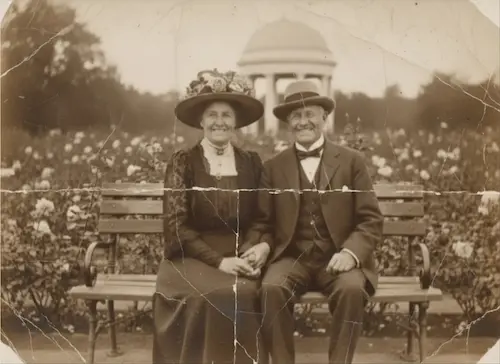
Witness the reconstruction power. Click the examples below.
Advanced Photo Reconstruction
Seamlessly Stitch Tears and Regenerate Missing Details
Auto-Stitch Technology
Don't struggle with manual alignment. Our AI detects the jagged edges of torn photos, automatically aligns the separated pieces, and digitally 'stitches' them together, making the tear line vanish.
Regenerate Missing Parts
Missing a corner or a background detail? We leverage state-of-the-art Generative Inpainting to analyze context and scientifically 'reconstruct' lost pixels, filling gaps with realistic textures naturally.
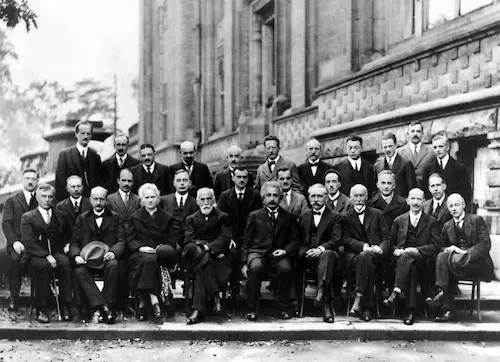
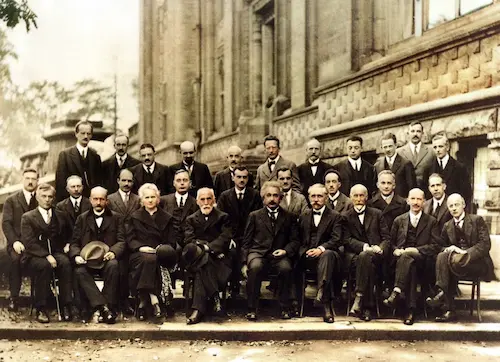
Erase Tape & Glue Residue
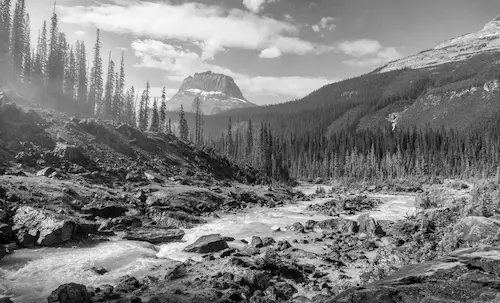
Has your photo been 'fixed' with scotch tape that turned yellow? Our tool identifies the specific reflection and discoloration of old adhesive tape and lifts it off digitally, revealing the clean image underneath.
Repair Ripped Photos in 3 Steps
The key to a perfect repair is a good scan. Follow these simple steps.
1. Assemble & Scan (Crucial)
Place torn pieces as close together as possible on a flat surface. Scan or photograph them as a **single image file**.
2. AI Stitching & Fill
Our AI detects the seams, stitches the parts, and uses generative fill to reconstruct any missing gaps.
3. Download Restored Photo
Get your fully repaired, seamless image. No Photoshop skills needed.
Why Choose Us
Why Use PhotoRestore.ai to Fix Torn Photos
Hand-stitching torn photos demands extreme patience and precision — PhotoRestore.ai auto-detects tear lines and intelligently rebuilds what's missing.
Manual Stitching
PhotoRestore.ai
Torn Photo Repair Use Cases
Who Fixes Torn Photos
Ripped in half, missing corners, scattered fragments — AI intelligently joins the pieces and rebuilds what's gone.
Families
A toddler's curious hands, a rough move, a moment of anger — torn photos are heartbreakingly common. AI detects the tear line, seamlessly joins both halves, and reconstructs the missing strip between them. Photos once declared 'ruined' come back whole.
Anniversary Gifts
Some photos were torn apart after a family falling-out, only to be deeply regretted years later. Digitally reuniting the pieces for a special occasion is both a restoration and a reconciliation — AI rebuilds missing faces, clothing, and backgrounds across the tear.
Severely Damaged Archives
The hardest photos to digitize are the ones with missing corners, cracks, and scattered fragments. AI analyzes torn edges, infers missing content, and completes the reconstruction in seconds — so no family archive project stalls at the worst-damaged prints.
Photographers
Torn photo repair is the job most studios refuse — it demands advanced Photoshop skill and hours of work. AI handles 80% of the reconstruction automatically; the photographer adds final touches. A full-day job becomes a 30-minute order.
Designers
Documentary posters, museum exhibits, and heritage campaigns need complete historical images — not ones with missing corners. AI fills torn edges and gaps while matching the original's visual style and period grain for seamless use in professional layouts.
Historians & Archivists
Photographs that survived wars, fires, and natural disasters arrive torn, charred, and folded. AI infers missing regions from surviving context — recovering faces, scenes, and details that help scholars piece together the historical record.
Explore our tools
Specialized photo restoration tools
Every photo is damaged differently. Pick the tool built for your problem — each one is fine-tuned for a single kind of damage.
Restore old & faded photos
Bring faded, yellowed, and low-contrast prints back to life with AI-powered old photo restoration.
Remove scratches from old photos
Erase deep scratches, cracks, and creases from scanned prints in a single click.
Remove stains & spots from photos
Clean water stains, mold spots, and discoloration while keeping every detail intact.
AI photo restoration online
Enhance, sharpen, and repair any old photo online with our all-in-one AI restoration engine.
Why Photos Tear — and How AI Puts Them Back Together
A printed photograph is a composite of cellulose paper fibers bonded to a brittle gelatin emulsion. Paper fibers align along the grain direction during manufacturing, making the sheet far easier to tear perpendicular to the grain — which is why rips tend to follow a predictable path. As prints age, the gelatin layer loses plasticizers and becomes glass-like: instead of bending, it fractures on impact, producing jagged edges and flaking emulsion chips. Scotch-tape repairs — the most common emergency fix — compound the problem over time as adhesive yellows, bleeds into the paper, and bonds permanently to the image surface. AI-powered torn photo repair uses context-aware inpainting: the algorithm reads texture, color, and structural cues on both sides of the tear line, infers what belongs in the gap, then generates new pixels that blend seamlessly with the surrounding image — achieving a true invisible join without any physical contact.
- Edge-Aware Intelligent StitchingTorn edges are never straight — they follow the irregular path of ripped paper fibers. The AI precisely traces these micro-serrations, aligns texture direction and color gradients across both fragments, and eliminates the visible seam line, producing a seamless join that looks as if the photo was never torn.
- Cross-Tear Face ReconstructionA tear through a face is the most devastating type of photo damage — eyes, nose, or mouth may be split in half. Our AI leverages facial anatomy priors and symmetry reasoning to reconstruct features across the break, restoring natural proportions and expression details that no generic fill tool can achieve.
- Safe Digital StitchingNo tape, no glue, no lamination needed. Simply scan or photograph the fragments flat, and the AI handles all alignment, gap-filling, and blending in the digital domain — your original pieces stay untouched, free from any risk of secondary physical damage.
Choose Your Plan
Flexible credit system - purchase as needed or subscribe, 1 credit per restore
Starter Pack
Try it out with a small pack
- 5 photo restorations
- $1.00 per photo
- Valid for 12 months
Popular Pack
Great for a personal project
- 30 photo restorations
- $0.66 per photo
- Save 33%
- Credits never expire
- HD downloads
- All AI features included
Family Pack
Perfect for family photo albums
- 80 photo restorations
- $0.50 per photo
- Save 49%
- Credits never expire
- HD downloads
- All AI features included
- All formats supported
Archive Pack
For large photo collections
- 500 photo restorations
- $0.37 per photo
- Save 62%
- Credits never expire
- HD downloads
- All AI features included
- All formats supported
- Priority support
FAQ
Fix Torn Photo: Frequently Asked Questions
Common questions about repairing ripped, fragmented, and taped photos with AI.
Results & Quality
How to Use
Pricing & Privacy
Make It Whole Again
Don't let tears and tape ruin your history. Reconstruct your photos with AI now.