
Photo Stain Remover Online
Remove Spots, Ink, and Dirt in Seconds

Upload Your Photo
Tap to select a photo
Free trial • No sign-up • No credit card
See the cleaning power. Click the examples below.
Digital Deep Cleaning
Safely Remove Stains Without Touching the Original
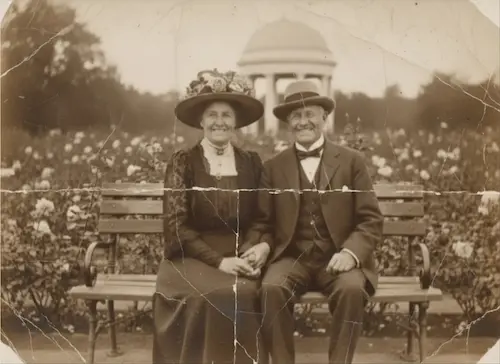
Neutralize Water Stains
Water damage often leaves ugly, discolored rings or bleached areas. Our AI analyzes the pigment patterns and digitally 'neutralizes' the discoloration, restoring the paper's consistent tone without the risk of physical washing.
Eliminate Mold & 'Foxing'
Those reddish-brown spots on vintage photos are called 'foxing' (fungal growth). Our algorithm is specifically trained to detect these distinct biological patterns and wipe them clean, preserving the details underneath.
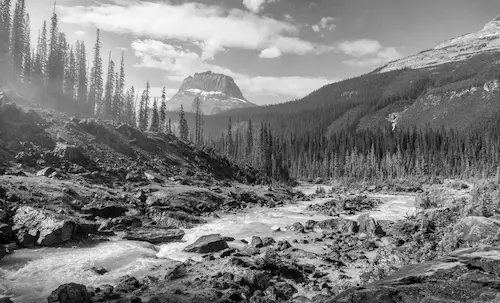
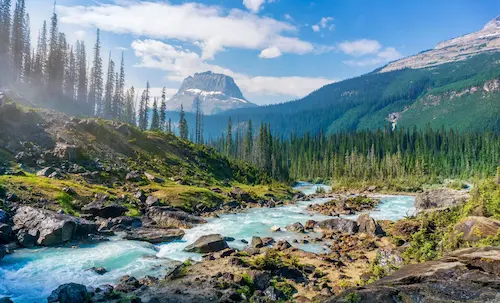
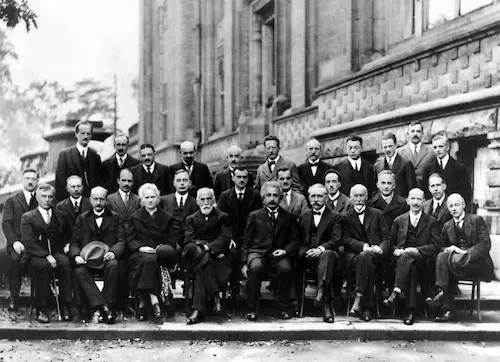
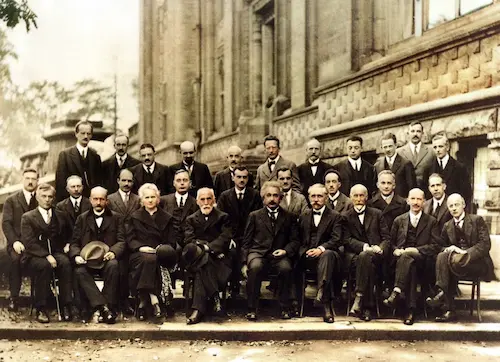
Erase Ink & Date Stamps
Has a date stamp or pen writing ruined a perfect shot? Whether it's a red digital timestamp, a handwritten note, or a coffee spill, our AI treats it as 'visual noise' and lifts it off the image seamlessly.
Clean Your Photos in 3 Steps
Don't risk ruining your photos with water or chemicals. Use our digital washing machine.
1. Scan Carefully
Do not wipe the physical photo if it has mold/water damage (it may peel!). Scan it 'as is' at high resolution.
2. AI Deep Cleaning
Our AI identifies discoloration, mold patterns, and foreign marks (ink) and digitally removes them.
3. Download Clean Photo
Get your pristine, spot-free image. We recommend colorizing it next for a full restoration.
Why Choose Us
Why Use PhotoRestore.ai for Stain Removal
Chemical cleaning risks dissolving ink and damaging paper — PhotoRestore.ai digitally cleans with zero contact, zero risk.
Chemical Cleaning
PhotoRestore.ai
Photo Stain Removal Use Cases
Who Removes Stains from Photos
Water damage, mold spots, coffee rings, ink marks — AI identifies and digitally cleans every type of discoloration without touching the original print.
Families
Basement floods, burst pipes, hurricane damage — water stains ruin entire boxes of irreplaceable photos overnight. AI detects watermark boundaries and reconstructs the color and detail underneath, saving memories that seemed lost forever.
Anniversary Gifts
Photos stored in damp attics develop brown mold spots — often right across faces. Clean a decades-old parent portrait to reveal the clear, sharp faces beneath the foxing — a restoration gift that says more than words.
Yellowing & Oxidation Cleanup
Decades of storage turn white borders amber and leach acid stains from album pages into the emulsion. AI batch processing strips away oxidation, glue residue, and acid marks — producing color-accurate digital files at scale.
Photographers
Clients bring in coffee-stained, ink-marked, and smoke-yellowed prints. AI auto-detects foreign discoloration and rebuilds the texture beneath in seconds — letting studios offer a fast 'photo cleaning' add-on service.
Designers
Vintage source images often carry coffee rings, fingerprint grease, and pen doodles. AI strips these foreign marks while preserving the authentic film grain and period color palette — delivering design-ready retro assets.
Historians & Archivists
Archive photographs degraded by water, insects, and mold can mislead researchers when stains are mistaken for original content. AI separates contamination from image data layer by layer — recovering obscured text, faces, and scene details.
Explore our tools
Specialized photo restoration tools
Every photo is damaged differently. Pick the tool built for your problem — each one is fine-tuned for a single kind of damage.
Restore old & faded photos
Bring faded, yellowed, and low-contrast prints back to life with AI-powered old photo restoration.
Remove scratches from old photos
Erase deep scratches, cracks, and creases from scanned prints in a single click.
Repair torn & ripped photos
Reconnect torn edges and rebuild the missing pieces of ripped photographs automatically.
AI photo restoration online
Enhance, sharpen, and repair any old photo online with our all-in-one AI restoration engine.
What Causes Photo Stains — and How AI Cleans Them
Stains on old photos are not just dirt — each type has a distinct chemical origin, and each requires a different approach to remove. Water damage leaves concentric tide marks where dissolved minerals settle as moisture evaporates. Foxing — the rusty-brown speckles common on vintage prints — is caused by fungal growth oxidizing iron particles embedded in the paper pulp. Yellowing occurs when organic acids in the gelatin binder migrate to the surface over decades of storage. Traditional conservation uses hydrogen peroxide or sodium hypochlorite baths to bleach these marks, but chemical washing risks dissolving inks, weakening paper fibers, and stripping the image itself. AI stain removal takes a fundamentally safer approach: it works entirely at the pixel level, separating the spectral signature of each stain type from the underlying image data and lifting it away without any physical or chemical contact.
- Spectral Layer SeparationThe AI decomposes photos into multiple color channels and isolates the frequency band where stain pigments live. Water marks skew yellow-brown, foxing skews rust-red, and ink skews blue-black — each with a unique spectral fingerprint. By targeting and removing only the stain layer, the tool preserves the full original image underneath.
- Face-Safe Stain RemovalSimply stripping discoloration from a face can leave uneven skin tones and blotchy patches. Our AI combines facial structure awareness with surrounding skin-color context, reconstructing natural complexion transitions as it removes the stain — so faces come out clean without color shifts or texture breaks.
- Zero-Contact Digital CleaningNo water, no solvents, no physical handling. The AI performs every cleaning operation on a digital copy and outputs a separate restored file — your original print stays untouched and safe for re-processing at any time.
Choose Your Plan
Flexible credit system - purchase as needed or subscribe, 1 credit per restore
Starter Pack
Try it out with a small pack
- 5 photo restorations
- $1.00 per photo
- Valid for 12 months
Popular Pack
Great for a personal project
- 30 photo restorations
- $0.66 per photo
- Save 33%
- Credits never expire
- HD downloads
- All AI features included
Family Pack
Perfect for family photo albums
- 80 photo restorations
- $0.50 per photo
- Save 49%
- Credits never expire
- HD downloads
- All AI features included
- All formats supported
Archive Pack
For large photo collections
- 500 photo restorations
- $0.37 per photo
- Save 62%
- Credits never expire
- HD downloads
- All AI features included
- All formats supported
- Priority support
FAQ
Remove Stains from Photos: Frequently Asked Questions
Common questions about removing water damage, mold, ink, and date stamps from old photos with AI.
Results & Quality
How to Use
Pricing & Privacy
Wipe Away the Years
Don't let mold, ink, or stains hide your history. clean your photos safely with AI.