Photo Scratch Remover Online
Clear Away the Damage of Time
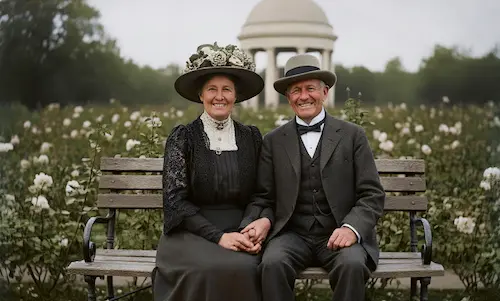
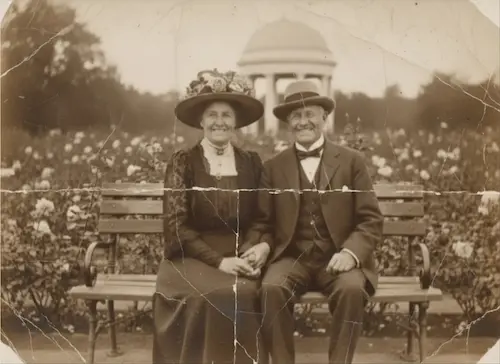
Upload Your Photo
Tap to select a photo
Free trial • No sign-up • No credit card
See the 'Digital Ironing' effect. Click the examples below.
Precision Damage Repair
From Micro-Dust to Deep Cracks, We Fix It All
Erase Scratches & Dust
Old photos act like magnets for dust and micro-scratches. Our AI specifically targets 'Dust & Scratches', distinguishing between actual image detail and surface noise, wiping the photo clean without blurring the grain.
Digital Ironing for Creases
Carried a photo in your wallet? Our algorithm acts as a 'Digital Iron'. It identifies the light/shadow pattern of the fold line and flattens it out, reconstructing the lost texture across the crease seamlessly.
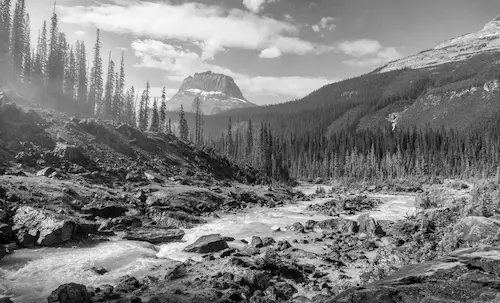
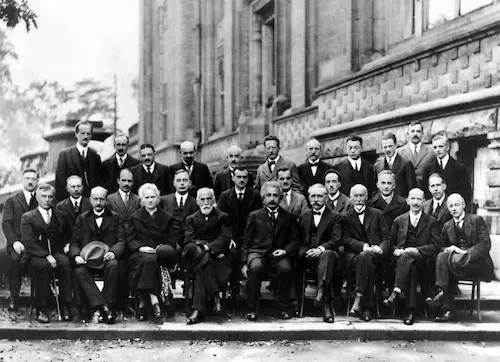
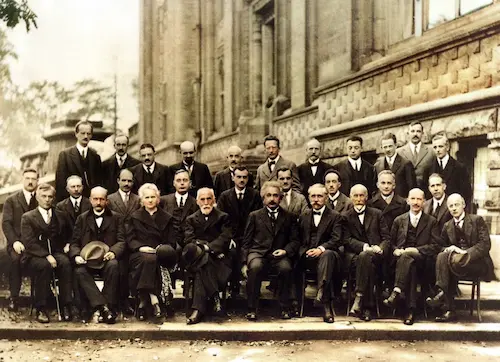
Crack & Tear Filling
For deep cracks where the emulsion has flaked off, our Context-Aware AI analyzes the surrounding pixels to scientifically 'reconstruct' and fill the gaps, bridging the broken parts naturally.
Fix Scratched Photos in 3 Steps
No complex software needed. Just upload and let AI heal the surface damage.
1. Upload Damaged Photo
Upload your image featuring scratches, creases, or dust. High-resolution scans work best.
2. AI Auto-Heal
The AI scans for 'non-image' artifacts (lines, specks) and automatically reconstructs the pixels.
3. Download Clean Photo
Preview the smooth result and download your restored memory.
Why Choose Us
Why Use PhotoRestore.ai for Scratch Removal
Manual scratch repair means tracing each mark by hand — PhotoRestore.ai detects and fixes all surface damage instantly.
Manual Repair
PhotoRestore.ai
Photo Scratch Removal Use Cases
Who Removes Scratches from Photos
From scuffed family albums to dusty scanned negatives, AI scratch removal restores clarity without touching the original.
Families
Decades of flipping through albums leaves fine scratches and fingerprint marks across every print. Peeling laminated sleeves tears away part of the image. AI detects each surface defect and fills it with matching texture — no trace left behind.
Anniversary Gifts
A wallet-worn photo carried for 30 years picks up deep creases and scuff marks. Restore it to pristine condition for a silver or golden anniversary — AI rebuilds the facial detail and fabric texture hidden beneath every fold line.
Scan Cleanup at Scale
Flatbed scanners faithfully capture every dust speck and glass scratch along with the image. AI batch processing removes these scanning artifacts in one pass — delivering clean digital files without hours of manual spot-healing.
Photographers
Scratch removal is the most requested retouching job in any photo studio. AI handles the tedious pixel work in seconds — freeing photographers to focus on final creative touches and doubling their order throughput.
Designers
Vintage stock photos almost always come with scratches and wear. AI removes the damage while keeping the authentic film grain and era-appropriate color — giving designers print-ready retro assets without manual cloning.
Historians & Archivists
Scratches on archive photos can obscure critical details — facial features, inscriptions, architectural elements. AI precisely lifts surface damage without altering the underlying image, revealing what time has hidden.
Explore our tools
Specialized photo restoration tools
Every photo is damaged differently. Pick the tool built for your problem — each one is fine-tuned for a single kind of damage.
Restore old & faded photos
Bring faded, yellowed, and low-contrast prints back to life with AI-powered old photo restoration.
Remove stains & spots from photos
Clean water stains, mold spots, and discoloration while keeping every detail intact.
Repair torn & ripped photos
Reconnect torn edges and rebuild the missing pieces of ripped photographs automatically.
AI photo restoration online
Enhance, sharpen, and repair any old photo online with our all-in-one AI restoration engine.
How Scratches Happen — and How AI Removes Them
Every printed photo is coated with a gelatin-silver emulsion layer just a few microns thick. Decades of handling — fingernails catching the surface, stacking without sleeves, sliding in and out of frames — gradually abrade this fragile coating, leaving visible scratches. Fold lines form when paper fibers snap under bending stress, creating permanent white creases that no amount of flattening can reverse. Dust particles trapped between prints act like micro-sandpaper, etching fine lines with every shuffle. Traditional photo scratch repair requires a retoucher to trace each mark by hand with a clone stamp, a process that can take days per image. AI-powered scratch removal works fundamentally differently: a convolutional neural network analyzes millions of texture relationships simultaneously, distinguishing authentic film grain from surface damage artifacts, then replaces each scratch with context-matched texture rather than blurring it away.
- Texture-Level Damage DetectionThe AI doesn't just look for color changes — it analyzes the frequency and directionality of the surrounding texture at every pixel. Scratches produce linear, single-direction anomalies, while genuine film grain is randomly distributed. This frequency-domain analysis lets the tool remove scratches from photos while preserving the original grain and sharpness.
- Face-Aware Scratch RepairWhen a scratch runs across someone's face, generic repair tools smear the skin into a blur. Our AI carries built-in facial anatomy priors — it understands the spatial relationship between eyes, nose, and mouth — so it reconstructs facial detail beneath the scratch rather than copying surrounding skin, delivering natural results even on heavily damaged portraits.
- Non-Destructive Digital RepairYour original scan is never modified. The AI outputs a separate restored file so you can keep both the authentic original and the enhanced version — ideal for long-term archival alongside family records.
Choose Your Plan
Flexible credit system - purchase as needed or subscribe, 1 credit per restore
Starter Pack
Try it out with a small pack
- 5 photo restorations
- $1.00 per photo
- Valid for 12 months
Popular Pack
Great for a personal project
- 30 photo restorations
- $0.66 per photo
- Save 33%
- Credits never expire
- HD downloads
- All AI features included
Family Pack
Perfect for family photo albums
- 80 photo restorations
- $0.50 per photo
- Save 49%
- Credits never expire
- HD downloads
- All AI features included
- All formats supported
Archive Pack
For large photo collections
- 500 photo restorations
- $0.37 per photo
- Save 62%
- Credits never expire
- HD downloads
- All AI features included
- All formats supported
- Priority support
FAQ
Photo Scratch Repair: Frequently Asked Questions
Common questions about removing scratches, creases, and dust from old photos with AI.
Results & Quality
How to Use
Pricing & Privacy
Clear Away the Scratches
Don't let dust and cracks hide your memories. Polish your photos with AI now.